Navigating the world of in-car infotainment systems can sometimes feel overwhelming, but for users of Apple CarPlay, a few clever 'hacks' can significantly enhance the driving experience. These tips go beyond the basic functionality, offering ways to streamline interactions, customize settings, and unlock hidden efficiencies that make your journeys smoother and more enjoyable.
One of the most impactful hacks involves mastering Siri's capabilities. Beyond simple commands like 'call Mom' or 'navigate home,' users can leverage Siri for more complex tasks. For instance, saying 'Hey Siri, send a message to John saying I'm running five minutes late' can save you from fumbling with your phone while driving. Furthermore, Siri can be used to control music playback, adjust climate settings, and even find available parking spots, all through voice commands. Learning to phrase your requests clearly and concisely is key to maximizing Siri's utility.
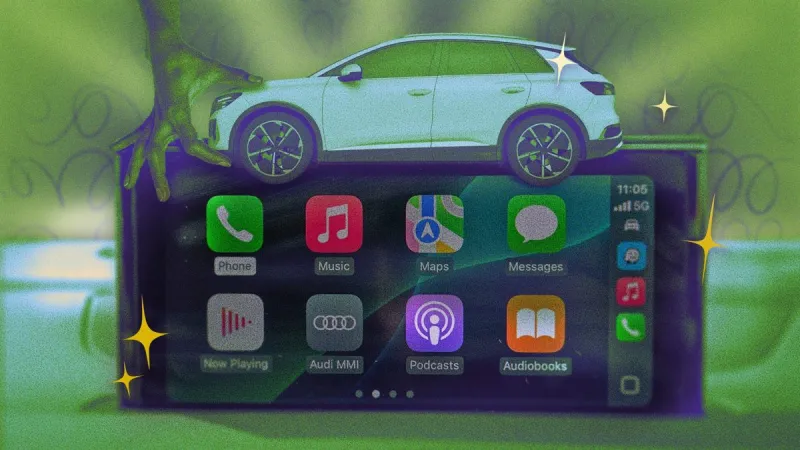
Another valuable tip is to customize your CarPlay home screen. By default, CarPlay displays apps in the order they appear on your iPhone. However, you can rearrange these icons within CarPlay itself to prioritize the apps you use most frequently. This means your navigation app, music player, or messaging service can be front and center, reducing the need to scroll through multiple pages. To do this, simply tap and hold an app icon on your CarPlay screen until it jiggles, then drag it to your desired position.
For those who frequently use navigation apps, a lesser-known feature allows you to set 'home' and 'work' destinations directly within CarPlay. This can be done by accessing the settings of your preferred navigation app (like Apple Maps or Google Maps) and designating these locations. Once set, you can simply say 'Hey Siri, navigate home' or 'Hey Siri, navigate to work' without needing to type in the address each time.
Managing notifications is also crucial for a distraction-free drive. CarPlay offers granular control over which app notifications appear on your screen. You can customize these settings within your iPhone's 'Settings' app under 'General' > 'CarPlay.' Here, you can choose to allow or disallow notifications from specific apps, ensuring you only receive alerts that are essential while driving.
Finally, consider the power of 'app grouping.' While not a direct CarPlay feature, organizing your iPhone apps into logical folders can translate to a more organized CarPlay interface. If your music apps are grouped together on your phone, they'll likely appear in a more manageable cluster within CarPlay, making it easier to find what you're looking for. By implementing these simple yet effective hacks, Apple CarPlay users can transform their daily commutes and road trips into more efficient, safer, and enjoyable experiences.
10 Hacks Every Apple CarPlay User Should Know
Admin
2 Views
3 min read
Source:
Lifehacker