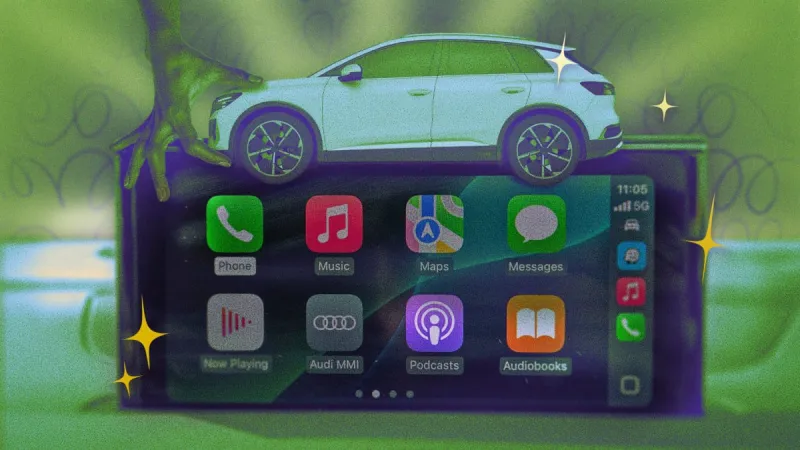
Apple CarPlay has transformed the in-car infotainment experience, seamlessly integrating your iPhone's essential features into your vehicle's display. While many users are familiar with the basic functions, a wealth of hidden hacks and tips can significantly enhance your CarPlay journey. Whether you're a daily commuter or an occasional road-tripper, mastering these tricks can make your time on the road safer, more efficient, and more enjoyable.
One of the most underutilized features is the ability to customize your CarPlay layout. By going into your iPhone's Settings > General > CarPlay, you can rearrange app icons to prioritize the ones you use most frequently. This simple customization can save you precious seconds when navigating menus while driving. Another crucial hack involves mastering Siri's capabilities. Beyond basic commands like "Call Mom" or "Navigate home," Siri can handle more complex requests. Try asking Siri to "play my workout playlist" or "send a message to John saying I'm running late." The more you use Siri for specific tasks, the better it becomes at understanding your preferences.
For music lovers, understanding how to create and manage playlists directly within CarPlay can be a game-changer. While you can't create new playlists from scratch in CarPlay, you can add songs to existing ones. A clever workaround is to create playlists on your iPhone before you leave and then add to them via CarPlay. Additionally, exploring third-party apps compatible with CarPlay can unlock new functionalities. Apps like Waze or Google Maps offer real-time traffic updates and routing options that can be superior to the native Apple Maps in certain situations. Music streaming apps like Spotify, Apple Music, and Pandora are essential, but don't forget about podcast apps and audiobook players for longer journeys.
Safety is paramount when driving, and CarPlay offers several features to enhance it. One often overlooked hack is the "auto-launch" feature. In your iPhone's CarPlay settings, you can configure CarPlay to launch automatically when connected to your car. This eliminates the need to manually select it each time. Furthermore, learn to use the voice control button on your steering wheel effectively. A long press activates Siri, while a short press might control media playback or answer/end calls, depending on your car's configuration. Understanding these nuances can prevent distracting fumbling with controls.
Finally, consider the power of the "split-screen" view if your car supports it. This allows you to see navigation instructions on one side and media controls or other app information on the other, providing a more comprehensive overview without constant switching. By incorporating these ten hacks into your routine, you'll transform your Apple CarPlay experience from merely functional to truly optimized, making every drive a more connected and seamless adventure.
10 Hacks Every Apple CarPlay User Should Know
Admin
1 Views
3 min read
Source:
Lifehacker