Users of Google's Gemini app on Android have been experiencing a frustrating issue today, as a bug has caused several recently introduced features to be rolled back and the user interface to revert to an older state. This unexpected glitch has disrupted the user experience for many, leading to confusion and disappointment among those who had grown accustomed to the newer functionalities.
The Gemini app, which aims to integrate Google's advanced AI capabilities into a conversational interface, has seen rapid development and feature additions since its launch. However, this latest bug appears to have caused a significant setback, effectively undoing some of the progress made. Reports indicate that specific features that were recently added or refined have disappeared, leaving users to wonder where they have gone. Simultaneously, the app's user interface has reverted to a previous design, which may be less intuitive or aesthetically pleasing to those who had adapted to the updated look.
The exact cause of the bug is not yet known, but it is likely related to a recent app update or a server-side issue that has affected the app's behavior. Such bugs are not uncommon in the fast-paced world of software development, especially with complex applications like AI-powered assistants. However, the impact on user experience can be significant, particularly when it involves the removal of features that users have come to rely on.
Google is expected to address this issue promptly. Developers will likely be working to identify the root cause of the bug and release a patch or an update to restore the lost features and the intended user interface. In the meantime, users experiencing these issues may need to be patient and await the resolution from Google. It is also possible that some users might find workarounds or temporary solutions, but generally, a software update from the developer is the most effective way to fix such widespread problems. This incident serves as a reminder of the ongoing challenges in maintaining seamless functionality and consistent user experience in the ever-evolving landscape of mobile applications and AI integration.
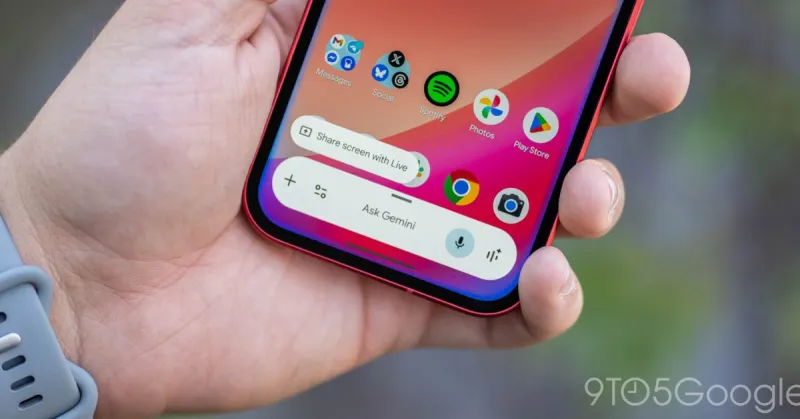
Gemini app bug removes features, reverts UI on Android
Admin
2 Views
2 min read
Source:
9to5Google