How to Tell if Someone Else's Apple AirTag Is Tracking You
Admin
2 Views
3 min read
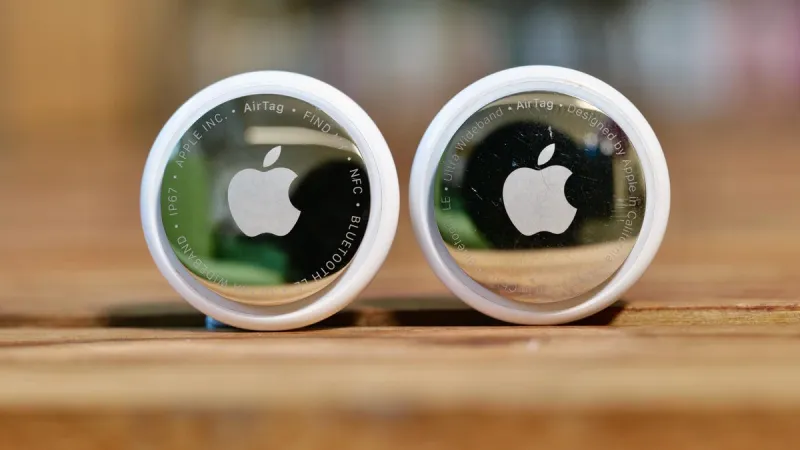
The proliferation of Apple's AirTag tracking devices has brought significant convenience for users who frequently misplace their belongings. However, this same technology can be misused for malicious purposes, such as unwanted tracking. Apple has acknowledged these concerns and implemented several features within iOS to help users identify if an unknown AirTag is traveling with them. Understanding these features is crucial for maintaining personal privacy and security. The primary mechanism for detecting unwanted AirTags is through Apple's "Find My" network. If an AirTag is separated from its owner for an extended period, it will begin to emit a sound to alert nearby individuals. This is a passive alert, meaning you need to be in close proximity to hear it. More proactively, your iPhone can actively notify you. To ensure you receive these notifications, it's essential to have Bluetooth enabled and to keep your iOS updated to the latest version. Within the "Find My" app, you can navigate to the "Items" tab. If an unknown AirTag is detected to be traveling with you for a significant duration (typically around three days), a notification will appear on your iPhone. This notification will indicate that an "AirTag Found Moving With You." Tapping on this notification will provide you with more details about the unknown AirTag, including its serial number and options to disable it. Disabling the AirTag is a critical step. The app will guide you through a process to make the AirTag play a sound, which can help you locate it if it's nearby, and then provide instructions on how to remove the battery, effectively rendering it inactive. It's important to note that these alerts are designed to be triggered by AirTags that have been separated from their owner for a prolonged period. If someone is actively using an AirTag to track you, they would likely be keeping it within Bluetooth range of their own device, which might prevent the "moving with you" alert from triggering immediately. However, if the tracker is attempting to follow you surreptitiously, and the owner loses proximity for a sufficient amount of time, the alert system is designed to intervene. Additionally, Apple has also introduced a "Track With Find My" feature that allows third-party accessories to integrate with the Find My network, meaning other types of trackers could potentially be detected. Always ensure your iPhone's location services and "Find My" settings are configured appropriately to maximize the effectiveness of these security features. If you receive an alert about an unknown AirTag, it's important to take it seriously and follow the provided instructions to identify and disable the device. If you suspect you are being stalked, you should contact law enforcement and provide them with any evidence you have collected.
Source:
CNET