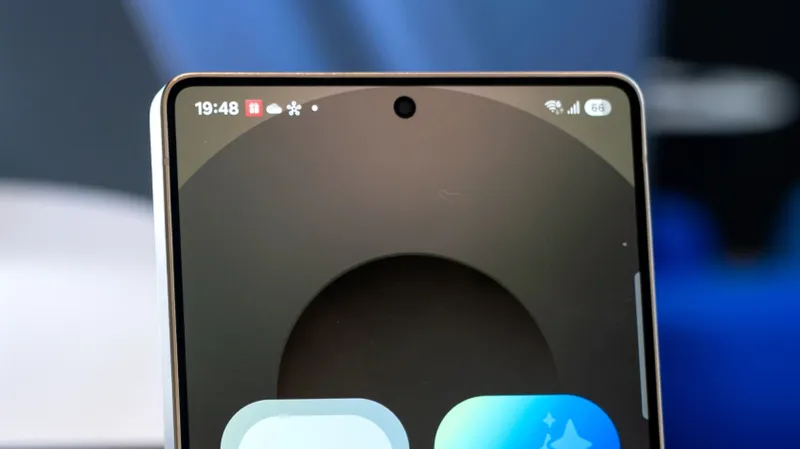
Many Android users have encountered a small, often inconspicuous white dot appearing on their status bar, usually near the top of the screen. While it might seem like a minor glitch or an aesthetic anomaly, this white dot carries a specific meaning that can be quite useful to understand. It's not a cause for alarm, but rather an indicator of your phone's current state.
The primary function of this white dot is to signal that you have an excessive number of notifications that cannot all be displayed simultaneously in the limited space of the status bar. The status bar is designed to show a limited number of icons representing ongoing activities, connectivity status, and, of course, incoming notifications. When this area becomes overcrowded with notification icons, Android employs this white dot as a visual cue to inform you that there's more waiting to be seen.
Think of it as a subtle overflow indicator. If you see the white dot, it means that some of your notifications are hidden from immediate view. This typically happens when you receive multiple alerts in quick succession, or when you have persistent notifications from apps that remain active. The system prioritizes showing the most critical icons, and when there's no more room, the white dot appears to let you know that there are additional alerts pending.
Fortunately, resolving this issue is usually straightforward. The solution lies in managing your notifications. To make the white dot disappear, you need to clear out the backlog of notifications. This can be achieved by swiping down from the top of your screen to open the notification shade, where you can see all your pending alerts. From there, you can individually dismiss each notification or use the 'Clear All' or 'Dismiss All' button, if available, to remove them in one go.
Clearing your notifications not only removes the white dot but also helps in keeping your device organized and potentially improves performance by reducing the background activity associated with managing numerous alerts. It's a good practice to periodically review and clear your notifications to ensure you don't miss important messages while also maintaining a clean and functional user interface.
While the white dot is a standard feature across most Android versions and devices, its exact appearance or placement might vary slightly depending on the manufacturer's custom interface (UI). However, its fundamental meaning remains consistent: a crowded notification area. So, the next time you spot that elusive white dot, you'll know exactly what it signifies and how to easily remedy it, ensuring a smoother and more organized experience with your Android smartphone.
Here's What A White Dot On Your Android Phone's Screen Means
Admin
1 Views
3 min read
Source:
bgr.com